


Free HR Tools for Layoffs, Offboarding, and Workforce Transitions
HR tools help companies manage complex workforce changes—from layoffs and restructuring to employee offboarding and compliance planning. This toolkit is designed for HR leaders and business owners who need fast, practical resources to plan transitions, reduce risk, and support employees effectively.

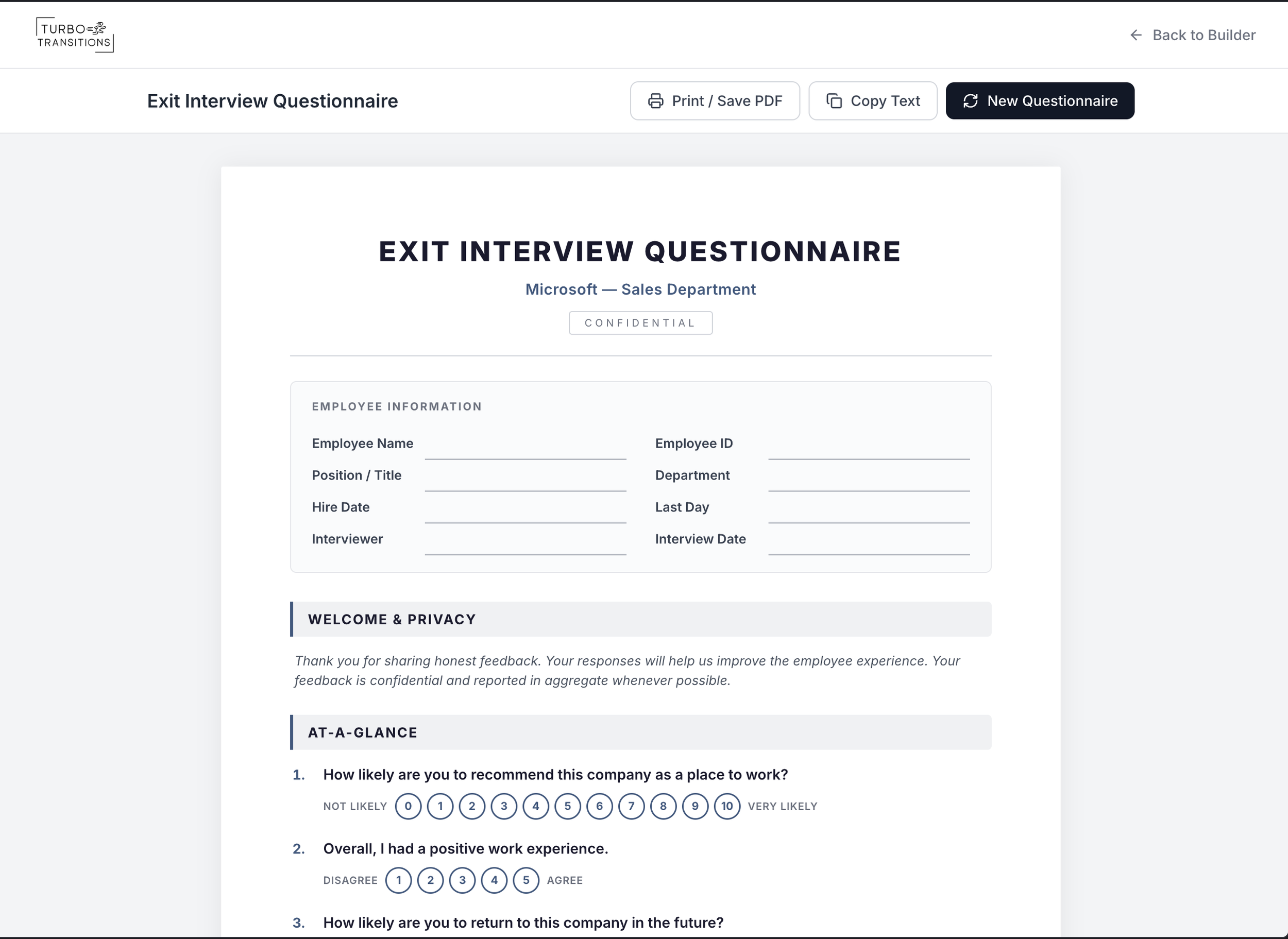
Exit Interview Questionnaire Builder
Helping HR professionals quickly create customized, print-ready exit interview questionnaires. Users provide basic information about their company, the departing employee's role and department, the reason for separation, and any specific focus areas — and the tool generates a professional questionnaire with 8–15 tailored questions.
The output is designed as a clean, minimal HR form optimized for printing, so it can be used in face-to-face exit interviews where answers are filled in by hand. Users can preview the questionnaire on screen and export it as a PDF, with both formats looking identical.

AI-powered web application that generates professional recommendation letters for employees. Users fill out a guided questionnaire with details about the employee being recommended — including their role, skills, achievements, and employment history — along with the recommender's information.
The tool then uses artificial intelligence (AI) to craft carefully craft a polished, personalized reference letter that naturally incorporates all the provided details. It supports different tones (formal, neutral, or warm) and outputs a ready-to-use letter that can be copied or downloaded as a PDF.
Reference Letter Auto-Generator

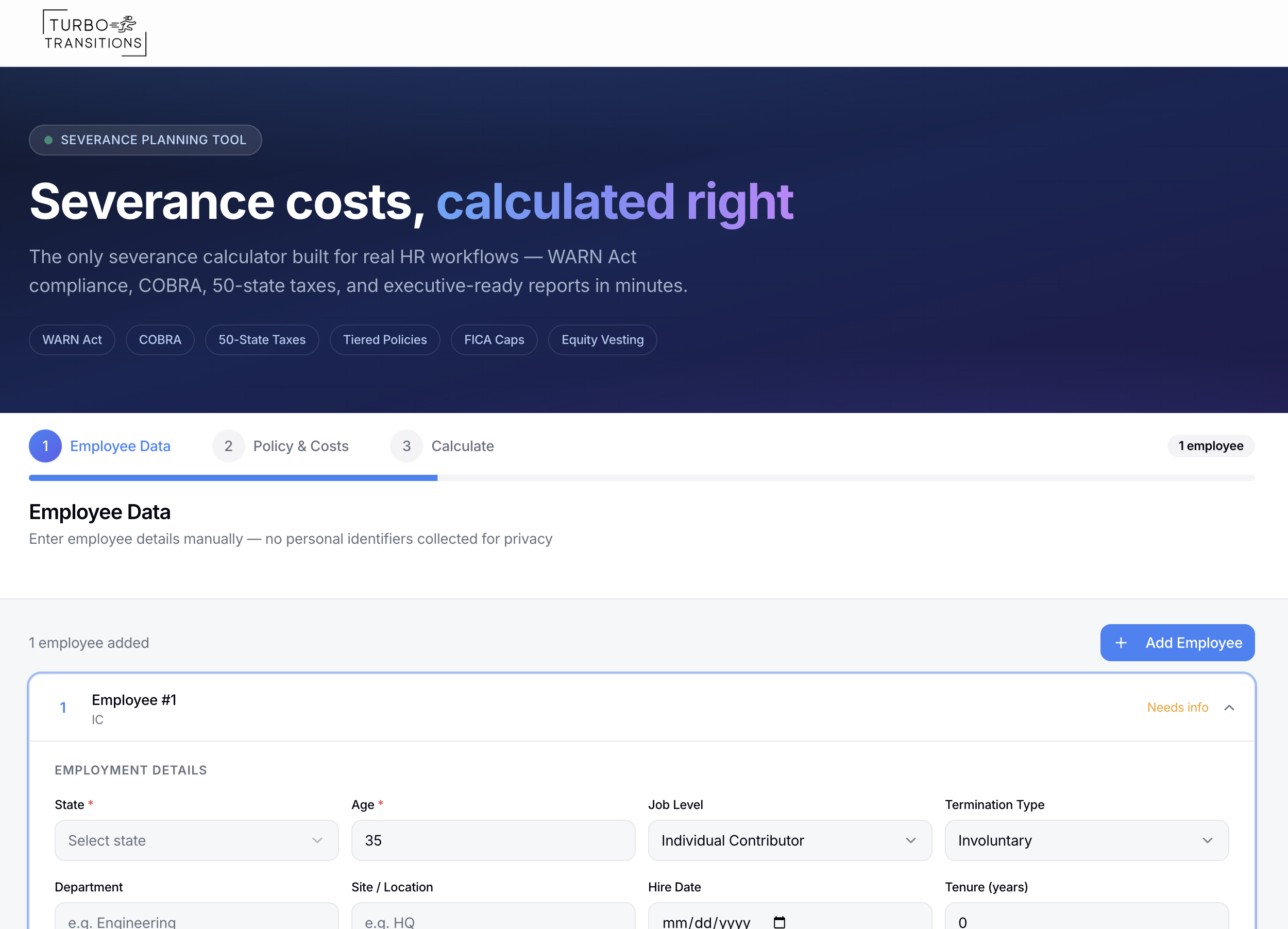
Severance Planning Calculator
Cost estimator that helps HR professionals and business leaders calculate the total financial impact of employee separations. It goes beyond basic severance pay to include PTO payouts, employer payroll taxes (with FICA wage caps and 50-state coverage), COBRA subsidies, benefits continuation, equity acceleration, bonus clawbacks, and outplacement costs.
Users can model different severance policies — including tiered structures by job level — save multiple scenarios for side-by-side comparison, and generate executive-ready reports. All data is entered manually with no personal identifiers collected, ensuring employee privacy throughout the planning process.
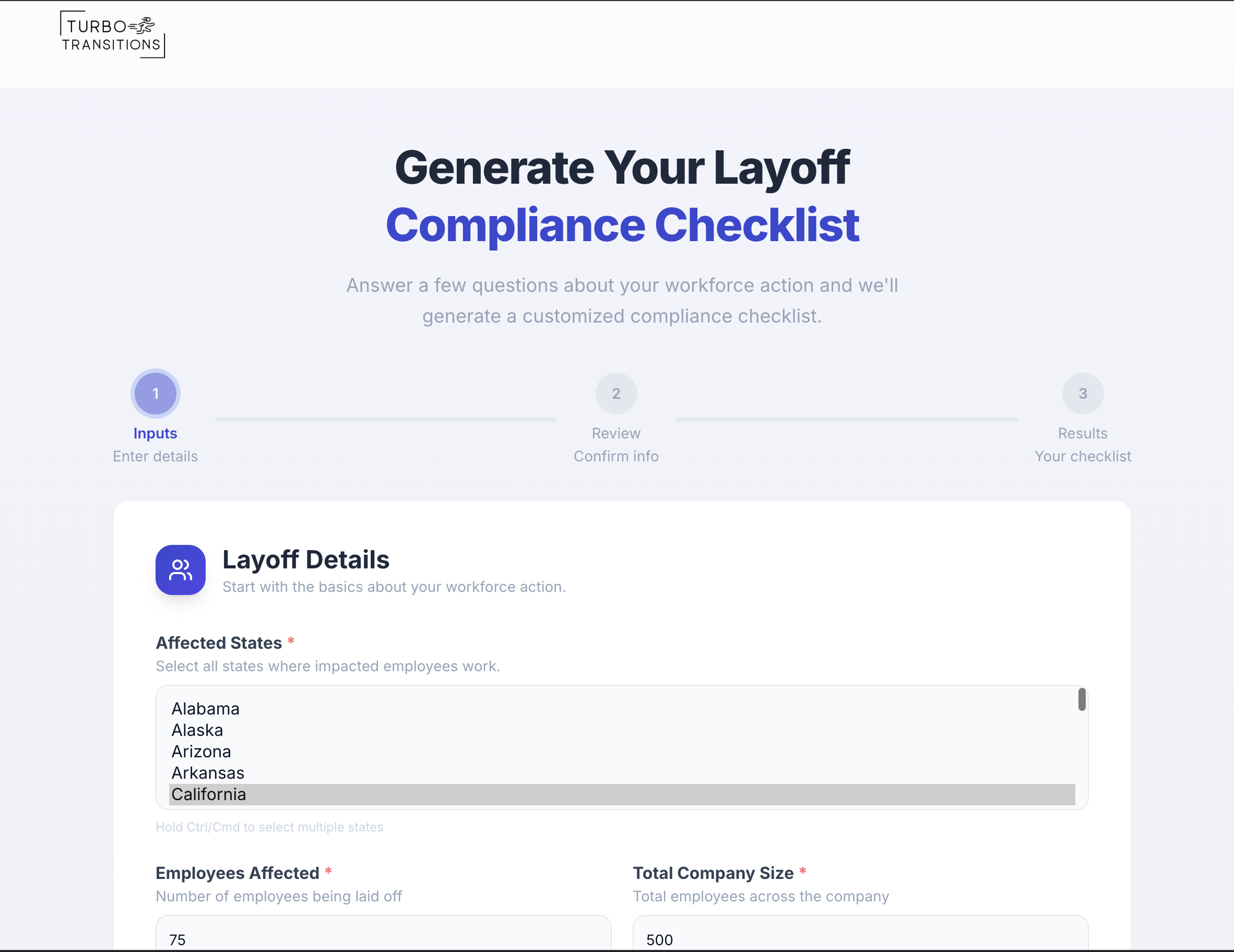
Layoff Compliance Checklist Generator

Create customized, step-by-step compliance checklists for employers planning workforce reductions. It takes key details about your layoff situation and produces a comprehensive checklist covering federal and state legal requirements, benefits continuation, communications planning, IT and access management, and document retention.
The tool calculates critical deadlines (like WARN Act notice periods and OWBPA consideration windows) and presents them on an interactive timeline so nothing falls through the cracks. Results can be exported as PDF or shared for easy collaboration with other teams.

Outplacement Service Matching Tool
This tool helps HR professionals find the best outplacement service provider for their company's specific layoff or workforce transition needs. Users answer a short assessment covering factors like company size, employee levels affected, budget, timeline, geography, and industry.
The tool then analyzes those inputs against a curated database of 9 vetted outplacement providers and generates a ranked list of recommendations, each with a personalized "fit score" and clear reasons why that provider is a good match.

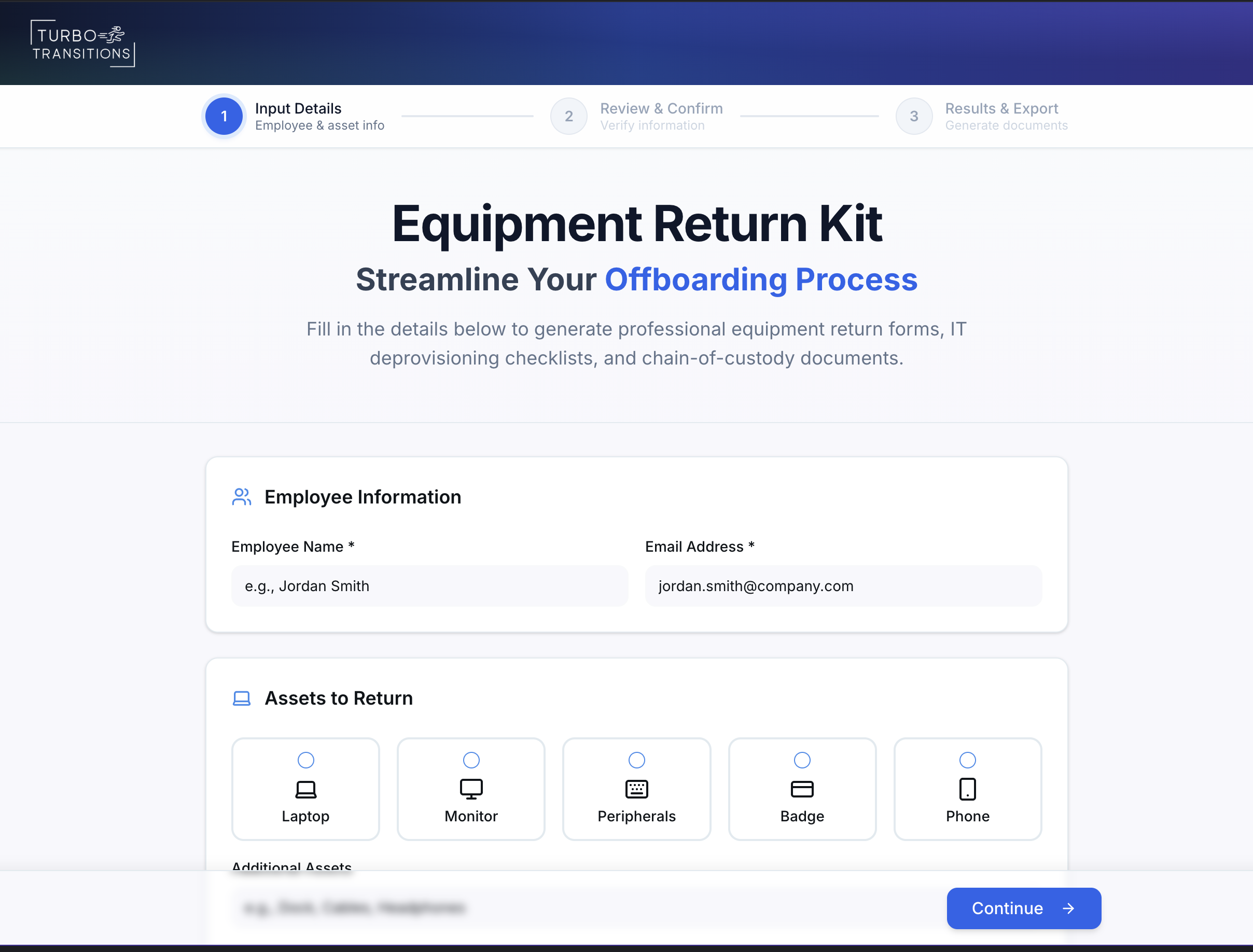
Equipment Return & Access Kit
This tool generates professional offboarding documentation when an employee leaves a company. It takes basic information — the employee's name, what equipment they have, which systems they use, and the return timeline — and produces a complete set of documents.
These include a chain-of-custody form for tracking returned equipment, an IT deprovisioning checklist for revoking system access, step-by-step return instructions for the departing employee, and an offboarding schedule with key dates. Everything can be downloaded as a single professional PDF.

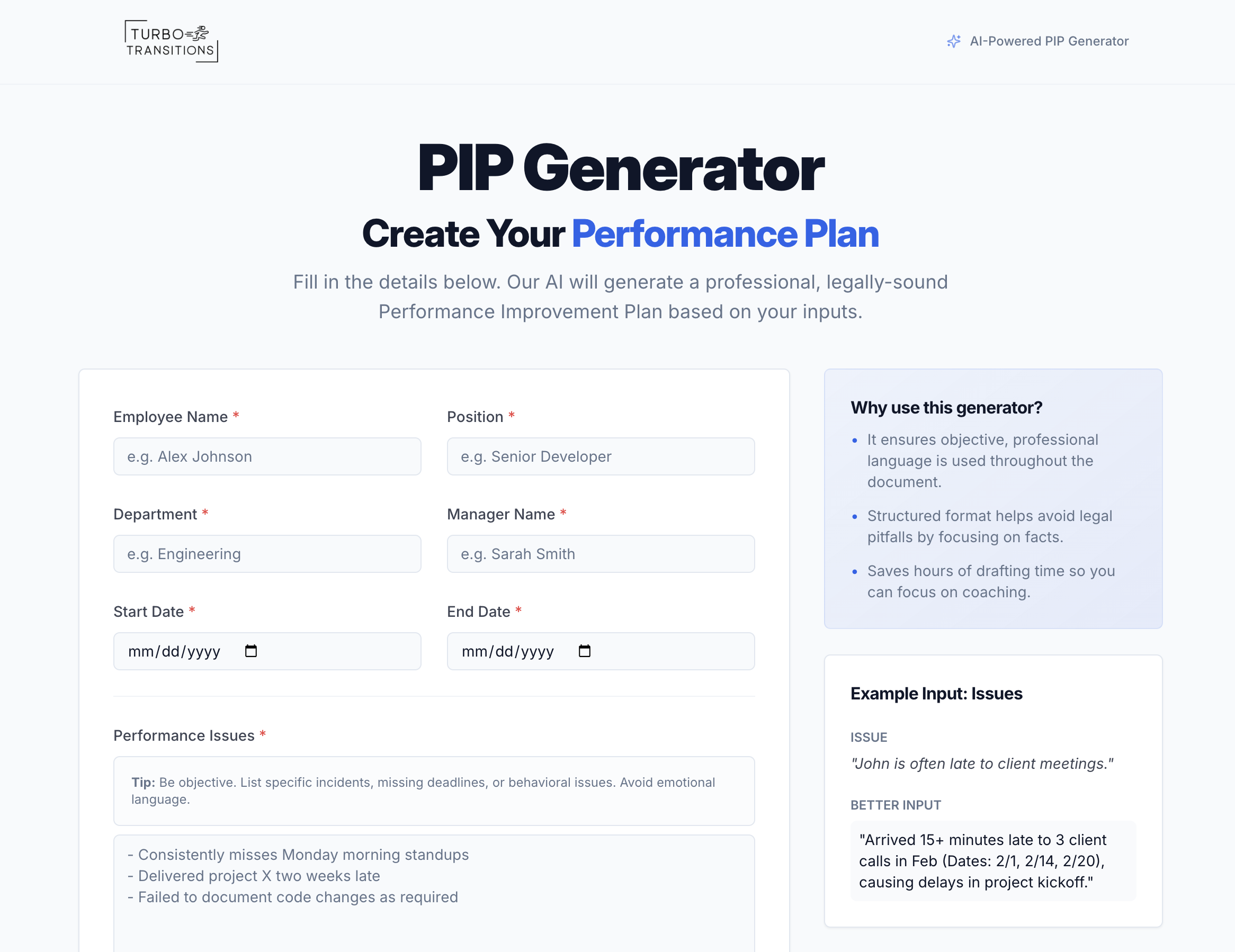
Helping HR professionals and managers quickly create formal, professionally written Performance Improvement Plans. Users simply fill in basic employee details — name, position, department, manager, dates, performance concerns, and desired outcomes — and the tool uses advanced AI to transform that input into a comprehensive, legally-sound PIP document.
The generated document includes structured sections like Purpose, Specific Deficiencies, Measurable Goals, Support Resources, Review Schedule, and Consequences. It can be copied as text or downloaded as a PDF for immediate use.
Performance Improvement Plan Generator

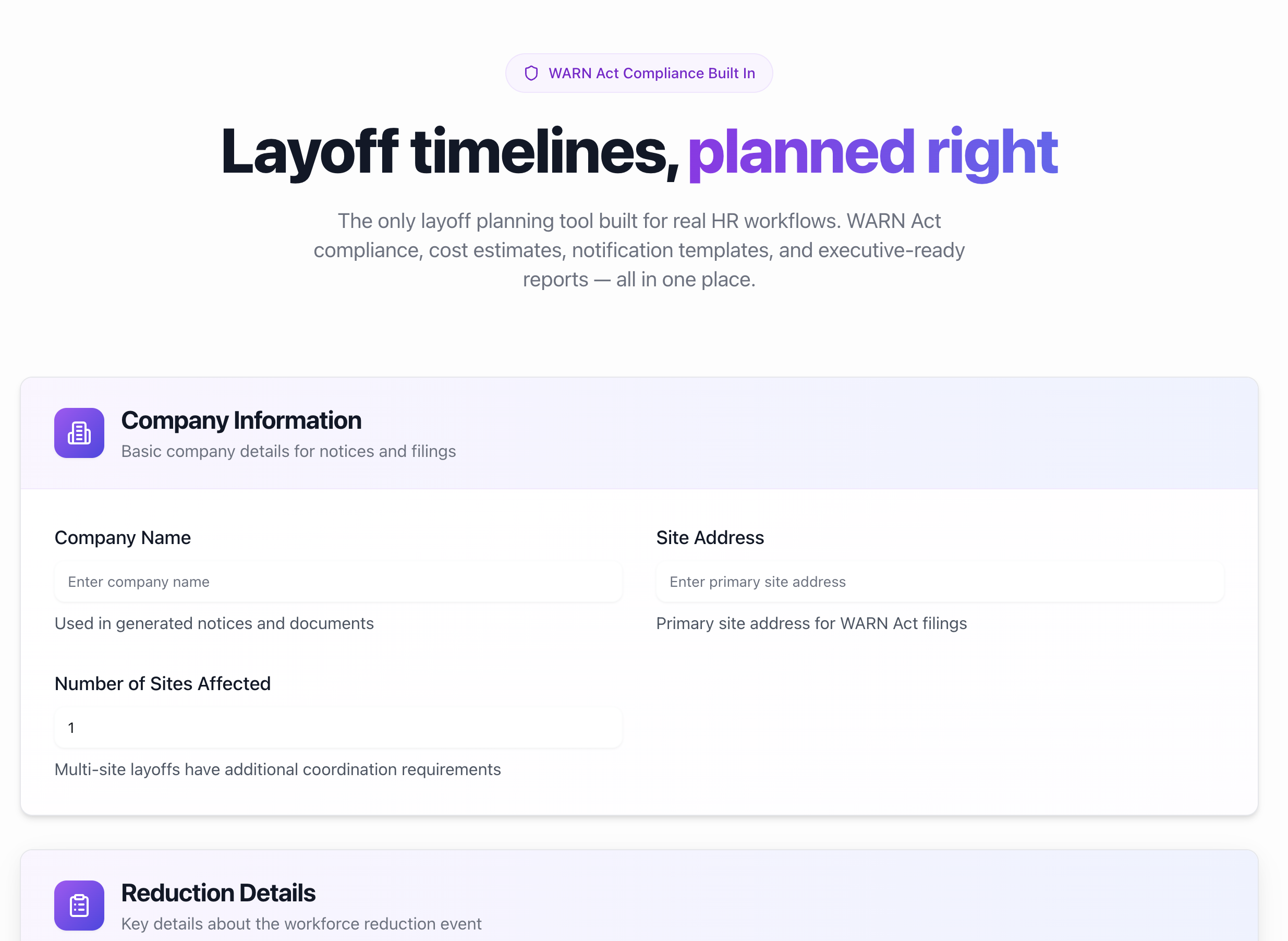
Layoff Timeline Builder
Plan and execute workforce reductions in a structured, compliance-aware manner. Users input key details — like the target layoff date, number of affected employees, impacted states, and relevant compliance factors — and the tool generates a customized, interactive timeline with categorized tasks spanning Compliance, Communication, and Support areas.
It automatically applies federal WARN Act rules along with state-specific requirements, and accounts for factors like OWBPA age considerations, union obligations, and pay-in-lieu scenarios. The resulting timeline can be tracked via an interactive Gantt chart and task checklist, and exported as a PDF for sharing with legal counsel and leadership.

Wages/Pay Statement Calculator
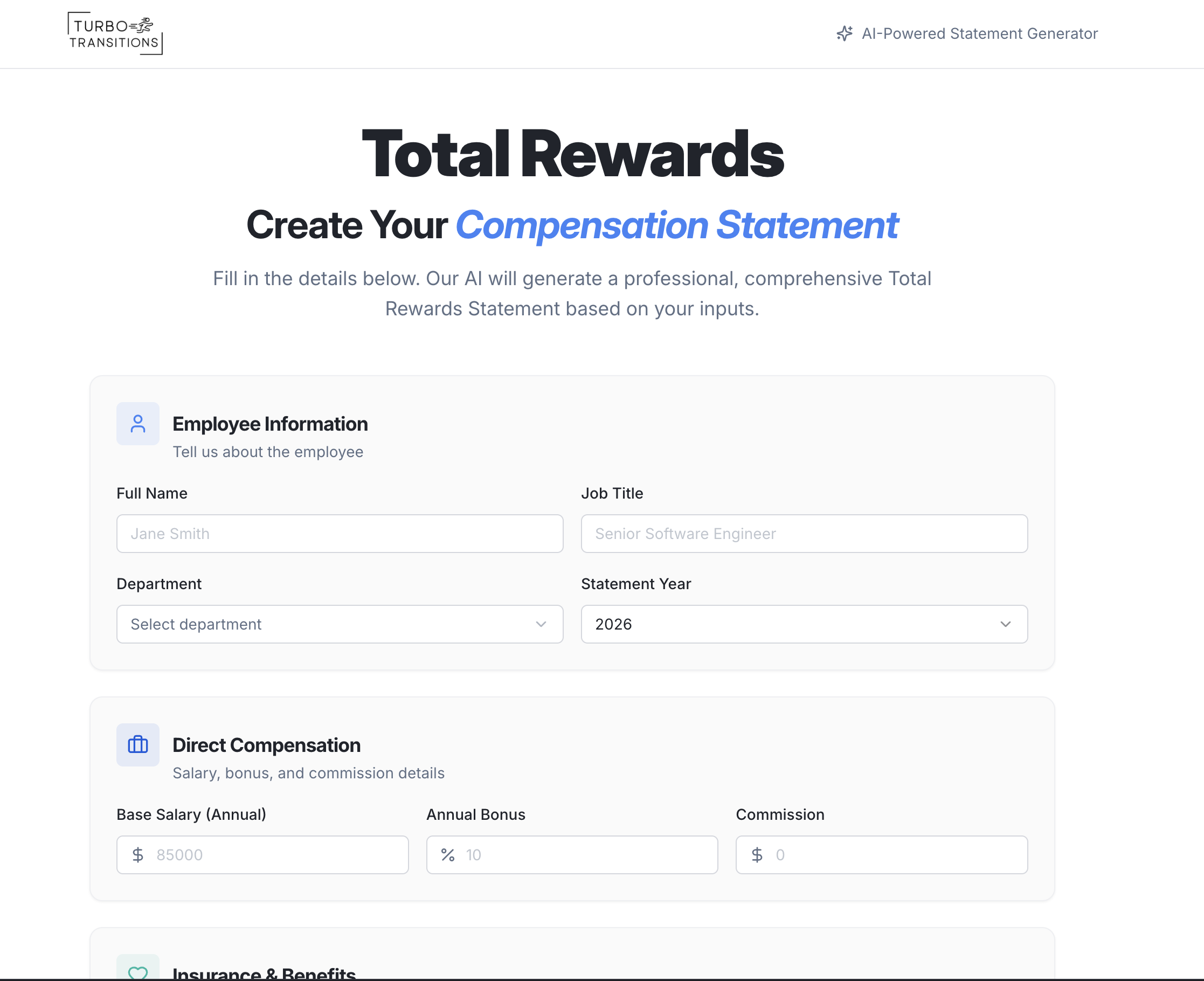
This tool allows HR professionals to quickly generate comprehensive Total Compensation Statements for employees. Users input an employee's salary, bonuses, insurance benefits, retirement contributions, and additional perks into a simple form.
The tool automatically calculates derived values (like bonus dollars from a percentage, or PTO dollar value from days), creates a visual pie chart breakdown of the full compensation package, and uses AI to generate a personalized narrative summary explaining the employee's total rewards in plain language.

Workiversary Message Generator
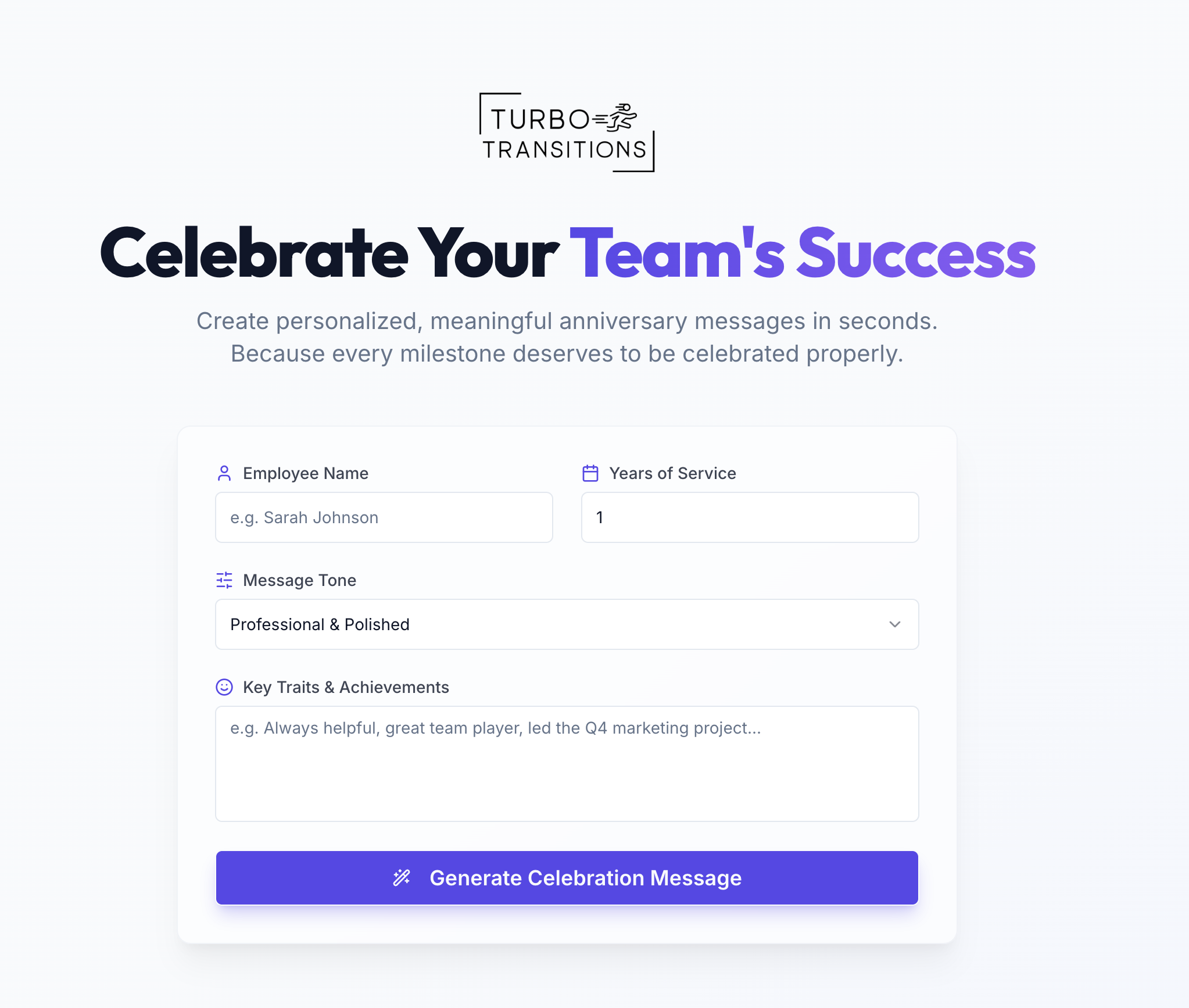
The Workiversary Milestone Generator is an AI-powered tool that creates personalized celebration messages for employees reaching work anniversaries. Users enter an employee's name, years of service, key traits or achievements, and select a desired tone — professional, casual, humorous, or heartfelt.
The tool then generates three unique message variations that can be copied and shared on platforms like Slack or LinkedIn. It's designed to make recognizing employee milestones quick, thoughtful, and effortless.

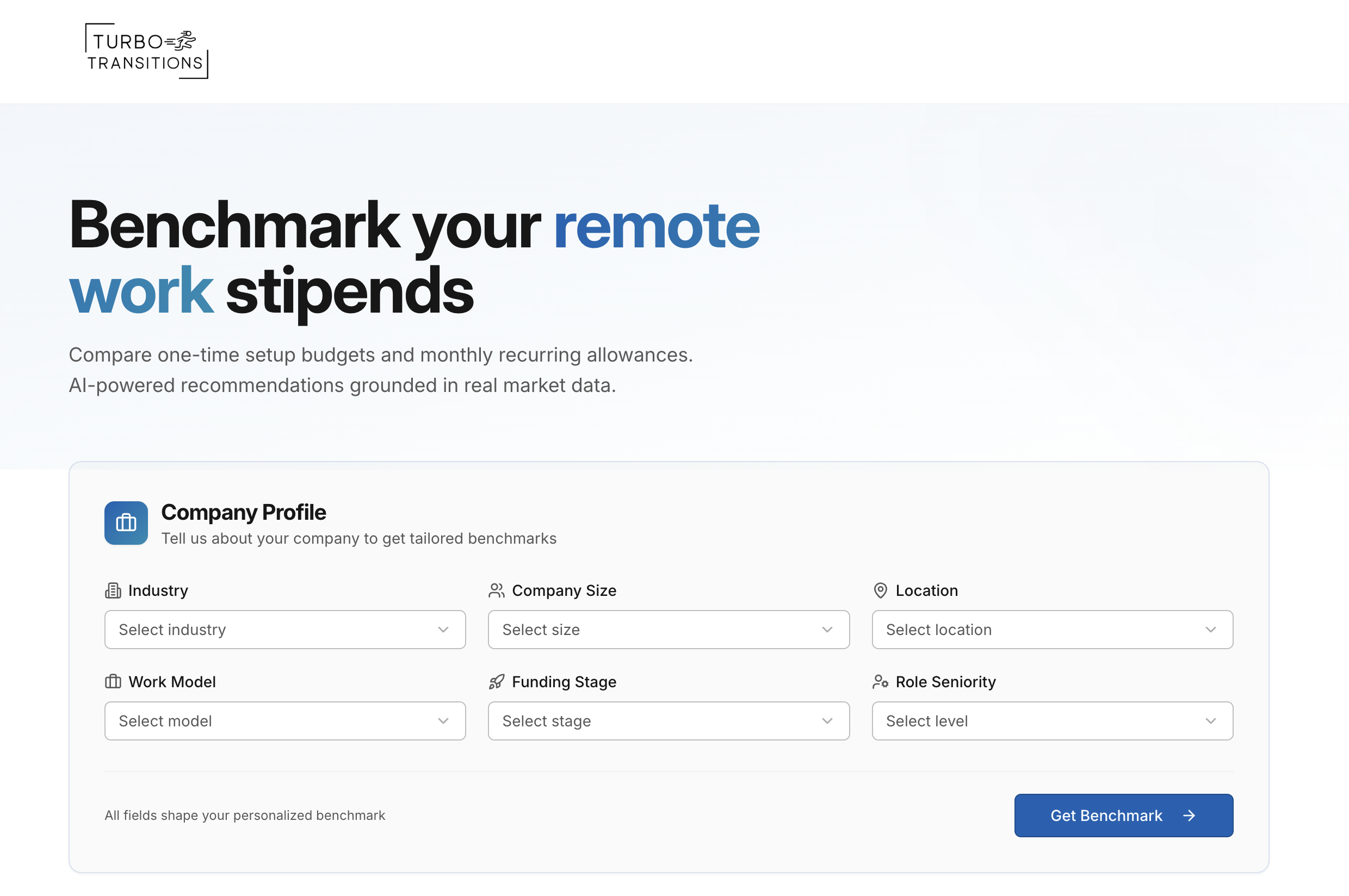
This tool helps HR professionals quickly determine how much their company should budget for remote work stipends. It takes into account key factors like industry, company size, geographic location, work model, and role seniority to generate tailored benchmarks.
Results are broken into one-time setup costs (such as furniture and equipment) and monthly recurring allowances (such as internet, co-working space, and utilities). Each category displays three spending tiers, giving a clear picture of the market landscape. The recommendations are grounded in conservative, research-backed data that reflects real-world spending patterns, including the fact that many companies still offer no stipend at all.
Remote Work Stipend Benchmarker
What These HR Tools Help You Do
Support employees during transitions
Give departing employees helpful resources, career support, and next-step guidance during a difficult moment.
Reduce legal and operational risk
Use structured tools to document decisions, track key steps, and reduce the chance of confusion, inconsistency, or overlooked requirements.
Plan layoffs with compliance and structure
Build a clearer, more organized layoff process with checklists, timelines, and planning tools that help HR teams avoid missed steps.
Estimate costs and financial impact
Quickly estimate severance, benefits, stipend costs, and other financial considerations so leadership can make better-informed decisions.
Standardize offboarding processes
Create consistent exit interviews, equipment return steps, reference letters, and documentation so every transition is handled professionally.
What’s Inside Each Tool (Current & Future Features)
Outplacement Service Selector
Compare outplacement providers based on your priorities like employee level, budget range, timeline, and coverage needs. Produces a short, practical shortlist with notes on why each option may fit.
Layoff Compliance Checklist
Generate an organized checklist of common layoff planning steps and compliance considerations based on your scenario inputs. Outputs a shareable task list to help your team stay coordinated and verify details with counsel.
Exit Interview Questionnaire Builder (Print-Ready)
Create a print-ready exit interview questionnaire tailored to the employee’s role, department, and reason for departure. Produces a clean PDF-style form with questions and space for handwritten responses.
Severance & Benefits Cost Estimator
Estimate the total cost of separations by modeling severance weeks/policy assumptions and selected cost components (like PTO payout and benefits continuation inputs you provide). Outputs a summary you can use for internal planning and review.
Equipment Return & Access Kit
Generate a standardized offboarding document pack for equipment return and systems access removal based on the details you enter. Produces ready-to-use instructions and checklists that support consistent handoffs.
Layoff Timeline Builder
Turn your layoff target date and key scenario details into a structured timeline of tasks across planning, communication, and offboarding. Outputs a sequenced plan you can track and share internally.
Turbo PIP Generator (Performance Improvement Plan Draft Generator)
Create a structured PIP draft from the performance context and expectations you provide. Produces a professional, editable document outline with goals, check-in cadence, and documentation prompts.
Total Compensation Statement Calculator
Generate a total compensation snapshot based on the pay and benefits values you enter. Produces a clear breakdown and an employee-friendly summary you can use in compensation conversations.
Workiversary Milestone Generator
Create personalized work anniversary and milestone messages using a few employee details and a chosen tone. Produces multiple ready-to-use message options for email or internal chat.
Remote Work Stipend Benchmarker
Generate stipend range suggestions based on the company context you enter (like work model, role level, and general profile). Provides a tiered reference to help you think through a stipend policy.
Reference Letter Auto-Builder
Generate a reference letter draft based on the role, dates, strengths, and achievements you provide. Produces a polished starting point you can review, edit, and copy or export.
Offboarding HR Tools
When teams change, speed and clarity matter. These tools help provide HR and People leaders with practical, risk-aware resources to plan budgets, create compliant checklists, draft communications and letters, select outplacement partners, hand off benefits, and complete offboarding.

Which Tools Do I Need?
Planning costs: Severance & Benefits Cost Estimator
Legal/compliance planning: Layoff Compliance Checklist
Timeline & coordination: Layoff Timeline Builder
Employee feedback capture: Exit Interview Questionnaire Builder (Print-Ready)
Choosing providers: Outplacement Service Selector / Outplacement Provider Assessment
Assets & access: Equipment Return & Access Kit
References & brand care: Reference Letter Auto-Builder
Support and retention signals: Total Compensation Statement Calculator
Remote policy planning: Remote Work “Stipend” Benchmarker
Performance documentation (if applicable): Turbo PIP Generator
Culture moments (optional): Workiversary Milestone Generator

“Employees are a company’s greatest asset—they’re your competitive advantage. You want to attract and retain the best…”
— Anne M. Mulcahy, former Xerox CEO
Frequently Asked Questions About Our Tools (FAQ)
Access & Accounts
How do I access a tool? Open the tool’s page and enter your work email to unlock it. Access is requested on each tool page.
Why do I have to enter my email for each tool? We use your email to deliver exports (like PDFs) and tool results when applicable, and to help prevent abuse. We keep emails minimal, and you can unsubscribe anytime.
Do I get a single login for all tools? Not yet. Each tool currently requests an email separately. If your team wants a single sign-on experience, tell us—it's on our roadmap.
Can I try a tool without giving my email? At this time, most tools require an email to generate results and exports.
Pricing, Usage & Exports
Are the tools free? Many tools offer free access to core features. If you want hands-on help (for example, implementation support or manager enablement), we can discuss a paid engagement.
What do I get when I finish a tool? Most tools provide an on-screen results view and an export option (such as a PDF). Some tools may also provide a copy via email so you can forward to stakeholders.
Data, Privacy & Security
Do you store employee data? Enter only what you’re comfortable sharing. Our goal is to generate outputs from the information you provide. Any retention or storage behavior (if applicable) is described within the tool.
What about sensitive information (names, salaries)? You can often use anonymized inputs (for example, “Employee A”) or aggregated numbers. For sensitive scenarios, we recommend minimizing personally identifiable information whenever possible.
Can you delete my data? Yes. Reply to any email from us with “Delete my data” and we’ll confirm removal.
Legal, Accuracy & Scope
Are these tools legal advice? No. These tools provide operational guidance and document drafts. Always verify legal requirements with qualified counsel.
How accurate are the calculations and checklists? They’re designed to be practical starting points based on the inputs and assumptions provided. For compliance-related topics, treat outputs as organizational aids and confirm requirements with counsel.
Do you support international laws? The toolkit is primarily designed for U.S. use cases. Some tools are globally useful as workflows or document drafts, but law-specific items should be reviewed and localized.
Picking the Right Tool
Which tool should I start with? If you’re planning a workforce reduction, start here:
Budgeting: Severance & Benefits Cost Estimator
Planning steps: Layoff Compliance Checklist
Project plan: Layoff Timeline Builder
Choosing support: Outplacement Service Selector / Outplacement Provider Assessment
Offboarding logistics: Equipment Return & Access Kit
Employee feedback: Exit Interview Questionnaire Builder (Print-Ready)
If you’re handling individual employee situations, start here:
Performance documentation: Turbo PIP Generator
Reference letters: Reference Letter Auto-Builder
Retention/comp transparency: Total Compensation Statement Calculator
Remote policy planning: Remote Work “Stipend” Benchmarker
Culture and recognition: Workiversary Milestone Generator
What if I’m not doing layoffs? Many tools are still useful for terminations, mutual separations, restructures, performance management, and retention—especially the PIP Generator, Equipment Return & Access Kit, Reference Letter Auto-Builder, Total Compensation Statement Calculator, and Exit Interview Questionnaire Builder.
Accessibility & Performance
Do these tools work on mobile? Yes. The pages are mobile-friendly, and PDFs and share links are designed to work well on phones.
Are the tools accessible? We aim to support accessible experiences, including keyboard navigation, focus states, and readable contrast.
General HR FAQs
What are HR tools for layoffs? HR tools for layoffs help employers plan and manage employee transitions in a more organized way. They can help with layoff timelines, severance estimates, compliance checklists, outplacement planning, documentation, and employee support.
What tools do HR teams need for offboarding? HR teams often need tools for exit interviews, equipment return, access deprovisioning, severance planning, reference letters, and transition support. These help keep the process consistent, professional, and well-documented.
What should HR do before announcing layoffs? Before announcing layoffs, HR should confirm the business rationale, review employee selection criteria, check applicable notice requirements, prepare manager scripts, coordinate payroll and benefits, and decide what support will be offered to impacted employees.
What documents are needed for employee offboarding? Common offboarding documents include a separation notice, severance agreement when applicable, benefits and COBRA information, final paycheck details, equipment return instructions, exit interview questions, and reference or employment verification guidance.
How can HR support employees after a layoff? HR can support employees by offering outplacement services, resume help, job search resources, interview preparation, LinkedIn guidance, benefits information, and clear next steps after the separation meeting.
What is the difference between offboarding and outplacement? Offboarding is the employer’s process for ending employment and closing out internal tasks. Outplacement is career transition support that helps departing employees find their next role.
How can HR reduce risk during layoffs? HR can reduce risk by using consistent criteria, documenting decisions, reviewing legal requirements, training managers, communicating clearly, protecting employee privacy, and offering fair transition support.

Offboarding & Layoffs: Resrouces for HR (Benefits, Risks, and FAQs)
Thoughtful offboarding isn’t just a legal safeguard, it’s a brand, culture, and productivity strategy. When you handle layoffs or terminations with clarity and care, you reduce risk, protect data, maintain morale, and help people land faster.
Why a Structured Offboarding Program Matters
1) Risk reduction & consistency
Clear steps and neutral language lower the chance of errors in notices, pay, benefits hand-offs, and documentation. Consistency across teams also prevents contradictory messages.
2) Data security & compliance
Same-day access removal, asset return tracking, and audit trails minimize exposure of customer data, IP, and financial systems.
3) Brand reputation & candidate trust
How you treat departing employees directly affects employer brand, Glassdoor sentiment, and future hiring velocity. Humane, transparent communication pays reputational dividends.
4) Culture continuity for “survivors”
Managers need talking points and a short action plan to stabilize workloads, rebuild trust, and prevent regrettable attrition.
5) Faster reemployment for impacted employees
Outplacement, reference letters, and clear benefits instructions shorten time-to-reemployment—good for people, good for brand, and often good for unemployment tax experience.
6) Operational speed
Templates and checklists cut cycle time from planning to execution so HR can focus on decisions, not document hunts.
Important: The content on this page is informational and not legal advice. Always verify requirements with legal counsel and your benefits administrators.


What a Modern Offboarding Playbook Includes
Plan & timeline: A simple milestone view from planning (T-45 to T-7), to notification day (T0), to follow-up (T+30).
Criteria documentation: Objective selection criteria, a decision log, and reviewer sign-offs.
Comms package: A neutral termination/layoff letter, manager talking points, and an employee-facing FAQ.
Severance & benefits: Policy application, cost estimate, and a clear hand-off packet (COBRA options, key dates, carrier contacts).
Outplacement: Provider selection aligned to budget, levels, and locations; quick invitation workflow.
IT & assets: Access deprovisioning checklist; chain-of-custody forms; return instructions (in-person or courier).
Records & privacy: Minimal data collection, secure storage (if any), and auto-deletion timelines.
Aftercare: A 30/60/90-day plan for managers and teams that remain.
Common Pitfalls and Safer Alternatives
Absolute promises (“no more layoffs ever”).
Use time-bounded, careful language (e.g., “We don’t currently anticipate…”).
Mismatched numbers/dates across documents.
Centralize inputs and review once before distributing.
Jurisdiction-specific assertions without verification.
Keep compliance items generic and add “verify with counsel” notes.
Late final pay or vague benefits info.
Provide clear, plain-language next steps and contact paths.
Over-collecting PII.
Use the least information required; anonymize where possible.
Skipping manager prep.
Give talking points, do/don’t-say guidance, and a channel for questions.



What most companies don’t realize is that tools alone aren’t enough. Without structure, employees often don’t know what to do next - and HR teams end up managing more complexity, not less.
Wrapping Up | HR Offboarding Tools
Great offboarding isn’t an accident. It sits at the intersection of clarity, care, and control. Clarity means everyone understands what’s happening and when. Care means messages land with respect and support.
Control means the basics—checklists, access, records—are handled without misses.
If it matters, measure it. Track execution (the share of tasks done on time, time-to-access-revocation, asset-return completion), people outcomes (outplacement uptake, time to reemployment, post-event eNPS or pulse results), risk signals (legal escalations, data-access incidents, rework needed), and the process itself (cycle time from plan to day-of, stakeholder satisfaction).
Those numbers tell you whether your intent is translating into results.
You don’t need a 200-page manual to get this right. A concise timeline, neutral letters and manager talking points, a simple benefits hand-off, structured IT/asset steps, and a fair severance approach with outplacement will carry most of the load.
Do these consistently and you’ll reduce risk, protect data, and preserve trust—while helping people move forward faster. Best of luck!
Disclaimer
Disclaimer. These tools and their outputs are for informational purposes only and are not legal, compliance, financial, tax, or HR advice; using them does not create an attorney–client or advisory relationship. Laws vary and change—always review results with your legal, benefits, and HR advisors before acting.
Data & access. By default we don’t store personally identifiable information you enter. Each tool is unlocked per page with your work email so we can send exports/resources and optional help; one tool’s email doesn’t unlock others, and you can unsubscribe anytime. If you choose Save, your project is stored securely and auto-deleted after {{X}} days; you can request deletion anytime at contact@turbotransitions.com.
Privacy & security. We use commercially reasonable safeguards, but no method is 100% secure. For saved projects you remain the data controller and we act as a processor under your instructions. You’re responsible for reviewing outputs before sharing and for controlling access to shared links/PDFs/CSVs. We may use de-identified, aggregated usage data to improve the tools; we do not sell personal data.
Scope, third parties & liability. Outputs are generic/non-jurisdictional and may not be complete or current; compliance-adjacent items include “verify with counsel” reminders. Linked third-party sites (e.g., carriers/HRIS) have their own policies—we’re not responsible for their content or security. Services are provided as is/as available with no warranties; to the extent allowed by law, we’re not liable for indirect or consequential damages
Terms to Know. offboarding platform, offboarding tool, what hr tools help manage compliant offboarding, hr offboarding tools, best hr software for offboarding and exit interviews, free offboarding tools